
Wi-Fi site survey & design
The predictive and on-site survey work that produces the design this installation delivers.
Wireless installation · Australia-wide
The design is the easy half. We install the access points, antennas, cabling and switching that make it real — in a warehouse that keeps picking while we do it — then prove the finished network against the design before we hand it over.
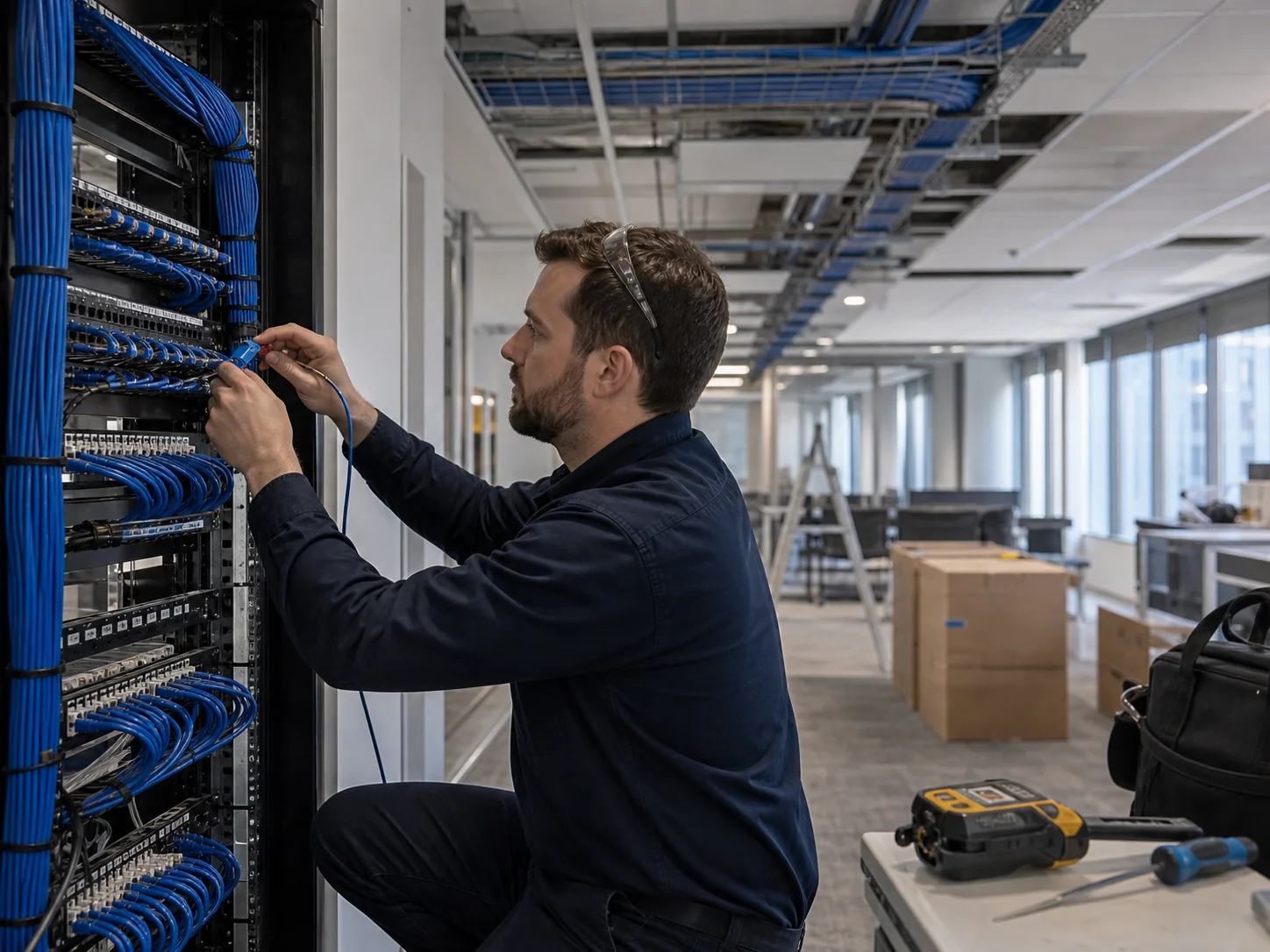
What the install involves
Warehouse wireless fails more often in delivery than in design. An access point 3 metres off its designed position, an antenna on the wrong bearing, an uncertified cable run, a switch with no PoE headroom — small alone, and together they turn a sound design into the network everybody complains about.
Every designed position is marked on site and checked against what is actually overhead: roof steel, sprinkler lines, high-bay lighting, ducting, conveyor and planned racking changes. Positions that conflict are moved within the coverage tolerance of the design, and the change is recorded rather than absorbed.
Tray, catenary, conduit and droppers go in first, on routes clear of services and reachable later. Pathways are sized with spare capacity, because the next access point, camera or dock controller will want them.
Copper to each position and fibre back to remote comms rooms is pulled, terminated and certified by licensed cablers, then labelled at both ends against a cable schedule. Test results are handed over, not filed away.
Brackets, droppers and enclosures are installed at the design height, then external antennas fitted, oriented and tilted to the bearings specified — with lead assignment confirmed at the radio before the lift moves on.
Runs are patched, ports allocated to the right VLANs, PoE budget confirmed against the real draw of the installed fleet, and uplinks sized for the aggregate traffic each edge switch now carries.
Access points are adopted, firmware brought to one agreed version, and the channel plan, transmit power, minimum data rates and roaming parameters loaded to match the design. SSIDs, authentication and device profiles are built for the fleet that has to live on them — scanners, voice-pick headsets, tablets and automation each treated separately.
The finished network is walked and measured at device height across every zone in scope and compared with the design targets. Anything short is corrected before handover.
Working a live warehouse
Almost none of our installations happen in an empty shed. The building is picking, receiving and despatching while we work, and the scanners keep running throughout. That constraint shapes the programme more than the technical work does.
We stage the job aisle by aisle so only one run is out at a time, and schedule around your windows rather than ours. Cable pulls over live pick faces, lift work in a busy aisle and comms-room changes land on nights, weekends or a planned shutdown. Lower-impact work — containment, terminations, staging hardware on the bench — happens during the day.
Everyone on site completes your induction before day one and works to permits, SWMS and traffic-management arrangements agreed with your team. Where an elevating work platform shares the floor with forklifts, exclusion zones and spotters are set out first.
Mounting & antennas
More warehouse wireless problems come from mounting than from hardware. These are the decisions made at each position, and why.
The convenient fixing point is the roof steel; the useful one is usually well below it, on a dropper or catenary. An access point 12 metres up radiates over the top of the racking instead of down the aisle where the scanners are, so we install at the height the design calls for.
External antennas are aimed, not just attached. Patch and directional antennas are set on the bearing and tilt the design specifies, with lead assignment checked at the radio ports — a swapped pair is invisible on a status LED.
Mounts sit clear of sprinkler heads and their spray envelope, lighting, ducting and smoke detection, and are never fixed to a sprinkler pipe or its supports. Where a design point conflicts with a service we move the mount and record the deviation.
Racking moves — beam levels change, uprights get replaced after a forklift strike, and an access point bolted to a rack leg travels with them. Positions are also chosen so someone can reach them later: if swapping a unit means closing a pick face for half a shift, that is a fault worth fixing on installation day.
Cabling & containment
Controller settings can be changed from a desk. A cable run in the wrong place needs a lift, an aisle closure and a crew — which is why cabling is the part of the install worth over-engineering.
All cabling is installed by licensed cablers, certified, tested and documented. Copper runs stay within their length limits and are routed clear of high-bay lighting ballasts and variable-speed drives rather than cable-tied alongside them. Where a shed is too large for horizontal copper to reach — anything much over 90 metres a side — we install fibre backbone to distributed comms cabinets and take short copper runs from there.
Everything is labelled at both ends and recorded on a cable schedule matching the patch panel, the switch port and the access-point name on the controller. When a port drops at 5am, the person at the rack should find the far end without a torch and a guess.
Switching & PoE
A wireless upgrade is a switching upgrade wearing a different name. New access points draw more power and carry far more traffic than the ones they replace, and the edge is where that shows up first.
The real draw of the installed fleet is calculated against each switch’s available budget, sized for the class the access points actually negotiate — not the data-sheet figure with every port idle.
Multi-gigabit access points behind a single gigabit uplink move the bottleneck rather than remove it. Uplinks and aggregation are in the install scope.
Redundant uplinks, dual paths to the core and UPS-backed comms cabinets, so one fibre or power fault does not take a pick zone off the air.
Scanners, voice, automation, corporate and guest traffic separated at the switch and carried consistently across every zone the fleet roams.
Distributed comms cabinets live in heat, dust and vibration. Enclosure rating, ventilation, power and security are specified per location.
Cutover & go-live
The riskiest hour of any warehouse wireless project is the one where the old network goes away. We build the new one in parallel — its own switching, SSIDs and controller configuration — and validate it while the old network is still doing the work.
Devices then migrate in controlled groups: one zone, one shift or one device class at a time, starting with the fleet that will tell us fastest if something is wrong. Legacy SSIDs keep broadcasting as a fallback, so a problem means moving a group back rather than halting a shift. Channels and power are managed through the overlap so the two networks are not fighting each other.
Legacy access points come down only after the new coverage has carried a full operating cycle, including the busiest hour of the week. We are on site through go-live and the first peak after it.
Validation & handover
Every installation finishes with a post-installation survey, walked at device height through every aisle, dock, coldroom and yard in scope by engineers Ekahau certified current to Wi-Fi 7 (802.11be). It measures the network as built against the design targets, which is the only honest way to close a wireless project. Where a zone falls short we correct and re-measure it before handover — our cost, not a variation.
You then receive the documentation set, written so an engineer who has never been to the site can pick it up cold, with site labelling matching the paperwork exactly. Handover includes warranty terms and a named support escalation path. Where the old wireless was failing, a warehouse Wi-Fi audit before we start gives you a before-and-after on the same building.
Handover does not have to be the end of it. A wireless network drifts as the site changes, so most clients keep it under real-time monitoring — access points, switch ports and uplinks reporting continuously, with a dedicated IT manager watching for the conditions that precede an outage rather than waiting for the phone to ring.
Where several warehouses need the same outcome, we define one standard build — hardware, mounting method, cabling specification, switch and controller configuration, naming and labelling — and repeat it site by site. Hardware is staged and pre-configured before it ships, so each site gets a shorter install window and less local improvisation. A fix proven at one site applies to the rest, and temperature-controlled zones become a documented exception rather than a surprise.
SonarNext is the infrastructure brand of Sonar Technologies International — ISO 9001 certified, 30-plus years in the market, more than 200 customers — based in Macquarie Park, NSW and installing across metro and regional Australia. We install and support HPE Aruba Networking, Ubiquiti, Cisco, Fortinet, Dell Technologies and Zebra Technologies hardware.
FAQs
It depends on access-point count, cable run lengths and how much of the work has to happen outside operating hours. A single distribution centre is commonly a few days to a fortnight on site. Restricted-access work stretches the calendar more than it stretches the labour, so we plan around your pick windows and confirm the programme in writing before starting.
Yes, and that is the normal arrangement. We stage the work aisle by aisle so only one run is closed at a time, schedule high-disruption tasks for nights, weekends or planned shutdowns, and keep the existing wireless carrying scanners until the new coverage is validated. Nothing gets decommissioned before its replacement is proven.
Yes. Work at height in racked aisles is done from elevating work platforms or scissor lifts with exclusion zones set out, spotters where forklifts share the floor, and permits and inductions completed before the first lift moves. Access-point heights follow the design, which in most warehouses means below the roof steel rather than on it.
All cabling is installed by licensed cablers, then certified, tested and documented. You receive the test results, a cable schedule and a labelled patch register as part of the handover pack, so the physical layer can be verified independently rather than taken on trust.
Yes. We install and commission hardware you have already bought, as well as supplying it. SonarNext works across HPE Aruba Networking, Ubiquiti, Cisco, Fortinet and Zebra Technologies, so the install follows the platform you have standardised on rather than pushing you onto a different one.
The new network is built in parallel, on its own switching and its own SSIDs, and validated before any device moves. Devices are then migrated in controlled groups — one zone or one shift at a time — with the old SSIDs still broadcasting as a fallback. The legacy access points come down only after the new coverage has run a full operating cycle.
A post-installation validation survey, as-built drawings with final access-point positions, antenna types and mounting heights, cable schedules with certification results, the patch and port register, switch and controller configuration records, firmware versions, and the warranty and support escalation path. It is written so another engineer could pick the site up cold.
Yes. We define one standard build — hardware, mounting method, cabling specification, switch and controller configuration, naming and labelling — then repeat it site by site. Hardware is staged and configured before it ships, so each site gets a shorter install window and every warehouse is supported the same way afterwards.
Related
The predictive and on-site survey work that produces the design this installation delivers.
The wider picture: industrial wireless, structured cabling, switching and comms rooms.
Staging, scheduling and commissioning when the same build has to land across several sites.
Tell us what you are planning — a new site, a network that keeps dropping out, or IT that needs a safer pair of hands. We will come back with straight answers and a clear quote.