SonarNext by Sonar Technologies International
Enterprise wireless network design for every building you run
Predictive design, supply, cabling, installation, validation and monitoring by one team of Ekahau-certified engineers — designed for your devices and your hardest spaces, on the platform that fits the requirement.
Design to monitoring
One team from the first requirement to the ten-thousandth scan
Most wireless problems start at a handover: the designer never sees the install, the installer never saw the requirement, and whoever supports the network inherits both. We run the whole lifecycle with one team, so the reasons behind the design stay with the people who built it.
Requirements, topology and platform
We start with the devices and the work, not the access points: what connects, where, at what height, and what happens to the business when it drops. That sets coverage, capacity and roaming targets, which decide the topology — controller or cloud-managed, local or tunnelled traffic — and which platform fits. The vendor is an output of the requirement.
Predictive design and supply
An Ekahau model from scaled plans, with walls, slabs, glass, racking and stock given their real attenuation, sets AP count, positions, mounting heights, antennas, channel and power plan and the cable schedule. Where the building is unusual or the stakes are high, an AP-on-a-stick survey proves it before anything is ordered. Access points, antennas, mounts, switches and licences are then supplied to the design, firmware and licence terms confirmed first, and substitutions checked against the model rather than accepted because they were in stock.
Switching, PoE and cabling
Edge switches sized for the real power draw of the access points you are buying, uplinks sized for aggregate traffic, and VLANs laid out per class of device: a Wi-Fi 7 access point on a port that cannot power its radios runs at half strength. Copper to each position and fibre between comms rooms, certified by licensed cablers, is covered on our data cabling and switching page.
Installation and commissioning
Access points mounted at the design position and height, antennas on the specified bearings, firmware brought to one agreed version, and the RF, SSID, security and roaming configuration loaded to match the design. Changes forced by the building are recorded, not absorbed.
Validation and audits
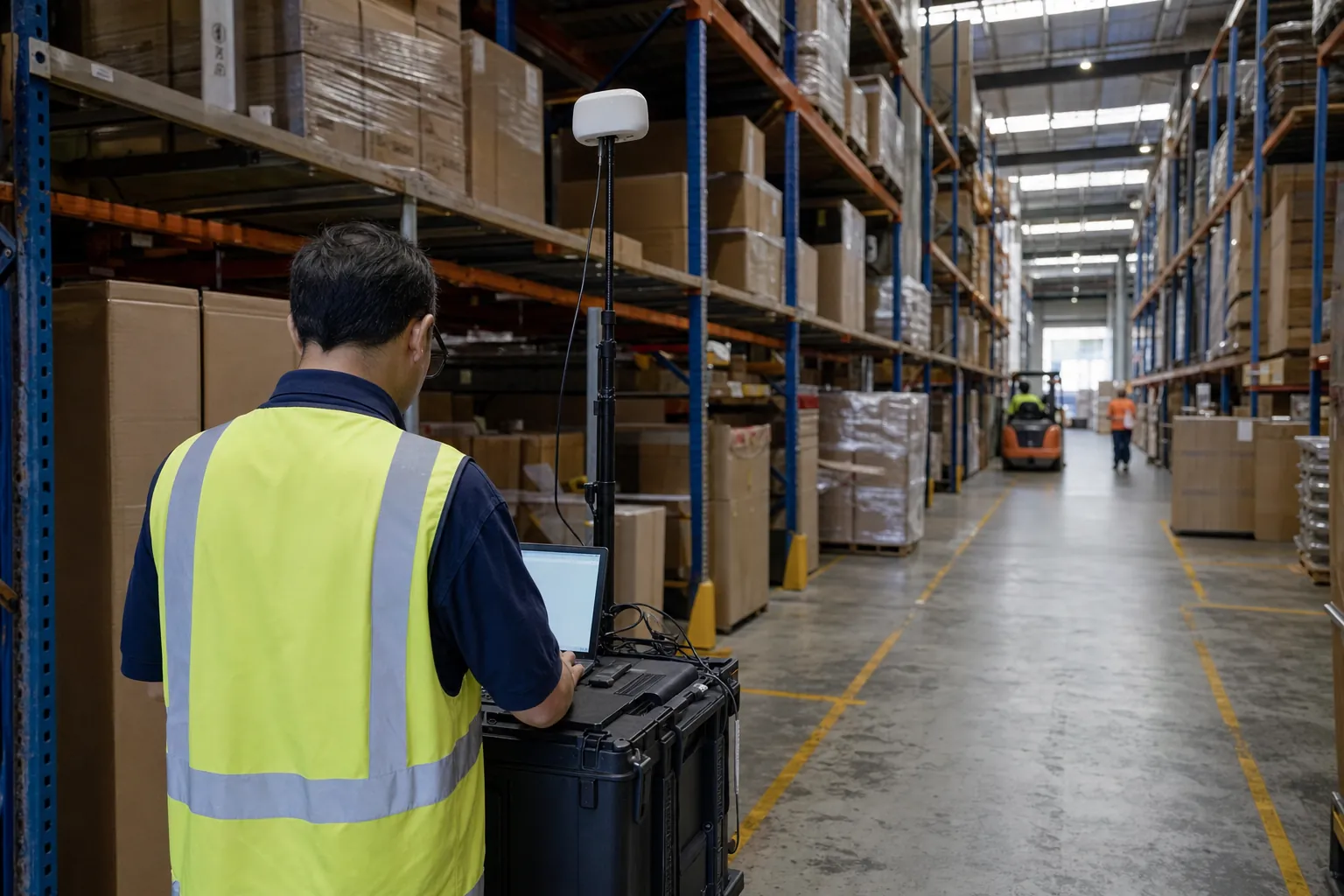
The site is walked again in Ekahau and measured against the design targets — signal, signal-to-noise, co-channel overlap, secondary coverage and roaming — at the height the devices actually work, so acceptance is measurement data, not an installer's assurance. For a network already in the ceiling the same measurement runs in reverse to find the cause of drop-outs before anyone buys more hardware; our warehouse Wi-Fi audit is the most common case.
Monitoring and support
Access points, controllers and switch ports reporting continuously, alerts on the conditions that precede an outage, and a named IT manager who knows how the site was built. Part of our managed IT services, with coverage agreed in writing up front.
Where we design
Any building, and especially the difficult ones
An open-plan office forgives almost any design. The buildings below do not, and each punishes a different mistake. Our deepest specialisms have their own pages: warehouse networking and cold storage Wi-Fi. Where a gatehouse or yard needs connecting and trenching is not sensible, we design point-to-point and point-to-multipoint links from a path survey and a link budget, and use mesh backhaul only where it earns its place, since every hop costs capacity.
Automated & AMR warehouses
Robots, shuttles and autonomous mobile robots roam constantly and stop when they lose the network. The design is built around their roaming behaviour and latency tolerance, and around racking that changes the RF every time stock moves.
Manufacturing floors
Metal machinery, cranes and welding noise, with PLC-connected devices and handhelds sharing the air. Coverage is designed around the plant layout and production changes, not the empty shell.
Hospitals & aged care
Clinical devices, nurse call and Wi-Fi voice handsets need coverage in every room, stairwell and lift lobby, with overlap for seamless roaming. Lead-lined imaging rooms and fire doors are modelled, not guessed.
Offices, campuses & public spaces
Video calls are the heaviest load in most offices, so capacity per meeting room and clean 5 and 6 GHz channels matter more than reach. Classrooms go from empty to thirty devices at once with a student network kept separate from administration; hotels and retail need instant guest Wi-Fi, POS and back-of-house devices kept apart, and access points hidden in a finished interior.
Outdoor & high-density
Ports and yards mean container stacks that move daily, vehicle-mounted terminals and long sightlines: outdoor-rated access points, directional antennas and pole or light-tower mounting, with earthing and surge protection as standard. Stadiums put thousands of clients in one space, so small cells, under-seat or overhead placement and careful channel reuse make capacity, not coverage, the whole problem.
Hazardous-location areas
Fuel, chemical and dust areas need access points and enclosures certified for the zone — IECEx or ATEX, or Class I Division 2 for North American-rated equipment. We specify to the site's hazardous-area classification, and the electrical work is done by appropriately certified people.
Design topics
Coverage is the easy part. These are what separate a working network.
A heatmap full of green says the signal is there. It says nothing about whether a scanner lets go of one access point in time to catch the next, whether a voice call survives the corridor, or whether the network still works when a switch fails. Those are design decisions, made before the first access point is placed.
We also design for the device, not the specification sheet: a five-year-old handheld may not support fast roaming, WPA3 or 6 GHz at all. The network has to serve the fleet you own and leave room for the one you will buy next.
- Seamless roaming with 802.11k, 802.11v, 802.11r and OKC, matched to what each client supports
- Voice and video QoS, with overlapping coverage for low latency and jitter
- Capacity and high density, planned per area at peak
- Redundancy: controller HA, dual uplinks and PoE budgets with headroom
- Security: WPA3, 802.1X and segmentation by device class
- 2.4, 5 and 6 GHz planning across Wi-Fi 6, 6E and 7
- BLE and IoT for location, asset tracking and sensors
Roaming that does not drop the transaction
802.11k tells a device which neighbours exist, 802.11v lets the network suggest a better one, and 802.11r or OKC cut re-authentication to milliseconds. Turning them on blindly can lock out older clients, so each is enabled against the fleet's tested behaviour and verified on the walk-through.
Voice, capacity and redundancy
A data app can retry; a voice call cannot, so voice designs need stronger primary coverage, a second access point in view everywhere, and traffic queued so a download never sits in front of a nurse call. Each access point shares its airtime among every client, so we count devices per area at the busiest hour and set channel width, AP density and minimum data rates to match; more access points in a crowded room often makes it worse. Controller HA or cloud-managed failover, dual uplinks and PoE budgets with room to lose a supply mean losing one access point weakens the signal rather than leaving a dead zone.
Security and bands
WPA3 where devices support it, 802.1X with certificates rather than a shared password, and each class of device on its own segment; who and what can connect is covered on our network access control page. 2.4 GHz still carries legacy scanners and IoT, 5 GHz carries most work, and the lower 6 GHz band, now open to Wi-Fi in Australia, adds clean channels for Wi-Fi 6E and 7 clients. We plan all three together, and cover when an upgrade actually pays on our Wi-Fi 7 upgrade page.
Private 5G and LTE, BLE and IoT, honestly
Private cellular can suit very large outdoor sites, fast-moving vehicles or places where Wi-Fi roaming cannot keep up. In Australia it needs licensed spectrum, through an ACMA licence or a carrier arrangement, and devices with the right radios; we assess it against a well-designed Wi-Fi network and say if it does not fit. Many enterprise access points also carry Bluetooth Low Energy and IoT radios that locate assets and people, read sensors in a coolroom and track equipment without a second network; placement for location accuracy is not always placement for coverage.
Vendor-neutral
We design to the requirement, then choose the platform
Every major enterprise platform can run a good network, and every one can run a bad one. We are partners with Cisco, HPE Aruba Networking and Ubiquiti, and we survey, design for and support Juniper Mist, Extreme Networks (ExtremeCloud IQ and the former Aerohive platform), Ruckus and Cambium too. Mixed estates are normal, and we audit networks someone else installed.
Cisco Catalyst & Meraki
Catalyst for controller-based campus and industrial networks, Meraki for cloud-managed estates run from one dashboard across many sites. Cisco is a SonarNext partner.
HPE Aruba Networking
Aruba Central for cloud management, gateways and controllers for larger or tunnelled designs, and ClearPass for policy and access control. HPE Aruba Networking is a SonarNext partner.
Ubiquiti UniFi
Capable, cost-effective access points, switching and outdoor links for offices, retail and many rural sites. Ubiquiti is a SonarNext partner, and its gear is available through our store.
Existing networks
Auditing the network you already have
The usual story is that the Wi-Fi was fine when it went in and is not fine now. Racking has gone up, the fleet has changed, access points have been added one complaint at a time, and nobody has measured the whole site since handover. Buying more access points often adds interference instead of fixing it.
An audit measures what is really on air, reviews the controller and switch configuration, and ties each finding to the symptom your team reports. You receive a plain-English report with priorities, heatmaps and the raw survey files, whether or not we do the remediation, and we will say so if the network is sound and the problem is a device, an app or the internet link.
- Measured survey at the height devices are used
- Co-channel interference and neighbouring networks
- Roaming behaviour for your actual devices
- Controller, SSID, security and data-rate settings
- Firmware consistency across the estate
- Switch, PoE and uplink health
- Prioritised fixes before any new hardware
Why SonarNext
Designed by people who have lived with the devices
Our enterprise wireless engineers are Ekahau certified and current to Wi-Fi 7 (802.11be). Designs are modelled in Ekahau, proven on site where the building warrants it, and validated by measurement after install.
The engineer who drew the plan is on site when it goes live. Anything the building forced to change is fixed by the person who knows why it was placed there.
Heatmaps, reports and the raw survey files are handed over at the end of the project. Your next engineer, or your auditor, can check our work rather than take our word for it.
Sonar Technologies International has spent more than 30 years putting rugged mobile devices and workflow software into 24/7 sites across Australia, New Zealand and Asia. We know how a handheld behaves at waist height behind a full pallet, and we design for that.
Design, supply, cabling, installation, validation and ongoing monitoring sit with one team. When something changes on site, the people who built the network are the people who look at it.
FAQs
Common questions
Which wireless vendors do you work with?
We are partners with Cisco (including Meraki), HPE Aruba Networking and Ubiquiti, and we also survey, design for and support Juniper Mist, Extreme Networks, Ruckus and Cambium. We choose the platform after the requirement is set, not before. Mixed estates are common and we support them.
Do we need a predictive design, or can you just install access points?
For anything beyond a small office, design first. A predictive model in Ekahau sets the access point count, positions, heights, channels and cabling before any money is spent on hardware, and it is the only stage where moving an access point costs nothing. Without it, coverage gaps and interference tend to be found by your staff after go-live.
Can you fix or audit a network another company installed?
Yes. We survey the site, review the controller and switch configuration, and trace each finding to the symptoms your team reports. You receive a prioritised report with heatmaps and the raw survey files, and it is yours to use whether or not we do the remediation work.
How do you make sure devices roam without dropping?
Roaming is designed, not left to defaults. We plan overlapping coverage so a second access point is always in view, then enable 802.11k, 802.11v, 802.11r or OKC according to what your devices actually support, because some older clients misbehave when fast roaming is switched on. Roaming is then tested on the validation walk with the real devices.
Should we move to Wi-Fi 6E or Wi-Fi 7?
It depends on your devices and your load. The lower 6 GHz band gives clean channels, but only to clients that support it, so a fleet of older scanners gains little from new access points alone. We assess what your devices support and where the network is congested, then recommend an upgrade path that pays for itself rather than a blanket replacement.
Is private 5G or LTE better than Wi-Fi for our site?
Sometimes, but less often than it is sold. Private cellular can suit very large outdoor areas or fast-moving vehicles, but in Australia it needs licensed spectrum and compatible devices, which adds cost and lead time. We assess it honestly against a well-designed Wi-Fi network and will tell you if Wi-Fi does the job.
Can you design for hospitals, hazardous areas or high-density venues?
Yes. Each of these has its own design targets: voice-grade coverage and roaming for clinical handsets, certified access points and enclosures for hazardous-area zones, and capacity-led placement for venues with thousands of clients. We scope the requirements for your site first and specify equipment to match.
Do you provide ongoing monitoring after installation?
Yes, through our managed IT services. Access points, controllers and switch ports report continuously, we alert on the conditions that precede an outage, and a named IT manager who knows how the site was built looks after it. Coverage hours and response targets are agreed in writing up front.
Ready to talk through your project?
Tell us what you are planning — a new site, a network that keeps dropping out, or IT that needs a safer pair of hands. We will come back with straight answers and a clear quote.