
Farm wireless installations
The same engineering applied to properties — sheds, dairies, pumps and cameras, explained without the radio jargon.
Wireless links · Australia-wide
One base station, many sites, no trenching. We survey the path, calculate the link budget and build wireless links that hold up across kilometres of Australian terrain — then prove them before handover.
The three topologies
Trenching fibre between buildings costs what it costs, and across a property or an industrial site it is often the single most expensive line in the quote. A wireless link does the same job for a fraction of it — provided the path supports one. The first design decision is which of these three shapes fits.
A dedicated link between two radios. All the capacity belongs to that one link, and it is the right answer when a single remote building needs serious throughput — a second warehouse, a data hall, a dairy running video. Two sites, two radios, no sharing.
One base station with sector antennas serving many remote subscriber radios. Add a new shed, pump site or building by mounting one radio and pointing it at the tower — no new hardware at the hub. The economics get better with every site you add, which is exactly the opposite of running individual links to each one.
Sometimes terrain refuses to give you one high point that sees everything. Then you chain links, or use a relay site, accepting the extra hop. It is more hardware and more failure points, so it is a decision made from survey data rather than preference.
Path survey
Every failed wireless link we get called to fix has the same root cause: somebody bought radios before surveying the path. The radios are usually fine. The path was never going to work, or it worked in August and stopped in December when the trees filled out.
A path survey establishes whether the two ends can actually see each other in the way radio needs — which is not the same as whether a person standing at one end can see the other. Radio uses an elliptical volume around the straight line, the Fresnel zone, and an obstruction that clips the edge of it will cost you signal even though the antennas are in plain view of each other.
Past about ten kilometres the curvature of the earth starts eating clearance too, which changes mounting heights at both ends. We work out the required heights before anyone prices a mast, because discovering you need another six metres of structure after the quote is signed is an expensive conversation.
Link budget
A link budget adds up everything that helps the signal — transmit power, antenna gain at both ends — and subtracts everything that hurts it, principally the loss over distance, then compares the result against what the receiving radio needs to decode. The number left over is fade margin, and fade margin is the whole game.
A link with no margin works beautifully on a mild day and drops in heavy rain, on a hot afternoon, or when a neighbouring system appears on the band. A link with proper margin absorbs all of that without anyone noticing. The difference between the two is usually antenna selection and mounting height, not a more expensive radio.
We size the margin against the worst realistic conditions at your site rather than the conditions on survey day, and we tell you what the link will actually deliver — not the number printed on the box, which assumes a laboratory.
Band selection
Frequency choice trades range, capacity and congestion against each other. There is no best band, only the right one for your path, your traffic and the interference already sitting on it.
Better at distance and more forgiving of marginal paths, but narrower channels and therefore less capacity. Often the right answer for a long link carrying modest traffic.
The workhorse for most business and rural links: good range, reasonable channel width, widely supported hardware. Also the most crowded, which is why we check the band before committing to it.
Very large capacity over shorter, absolutely clear paths. Rain affects it more, and it demands precise alignment and rigid mounting. Excellent between two buildings, poor across a wet valley.
No individual licence required if the equipment and power comply. It covers the overwhelming majority of business links and is where most projects sensibly start.
Costs more and takes longer to arrange, and buys you legal protection from interference. Worth it where a link is genuinely critical or the band is already busy.
We look at what is already on air at both ends before choosing. A band that is quiet at the hub and saturated at the far end is a band that will disappoint you later.
Sharing capacity
This is the trade-off that makes point-to-multipoint cheap, and the one most often glossed over when it is sold. The base station has a finite amount of capacity per sector, and every subscriber in that sector shares it. Ten sites doing email and a couple of cameras will sit comfortably together. Add one site that decides to run continuous high-bitrate video and everyone else feels it.
So the design starts with what each site actually does at its busiest, not its average. Cameras are the usual surprise — they push constant upstream traffic, and upstream is typically the scarcer direction. Backups are the other one, because they are invisible until they run at four in the afternoon instead of four in the morning.
Where one site genuinely needs guaranteed throughput, the honest answer is a dedicated point-to-point link for that site and a shared sector for the rest. Mixing the two is normal, and cheaper than over-building everything.
The physical build
Most of the risk in a wireless link project sits in the structure, the power and the earthing rather than the electronics. An antenna needs to be rigid — a mount that flexes in wind will drift out of alignment and produce a fault that comes and goes with the weather, which is among the most frustrating things to diagnose remotely.
Elevated antennas on Australian sites attract lightning and induced surge, and a single unprotected link end can take out equipment at both ends. Earthing and surge protection go in at every end as standard, not as an upgrade.
Remote sites often have no mains power at all, so solar and battery sizing becomes part of the design — sized for consecutive overcast days rather than for average sunshine, because the link matters most in bad weather.
Where it fits
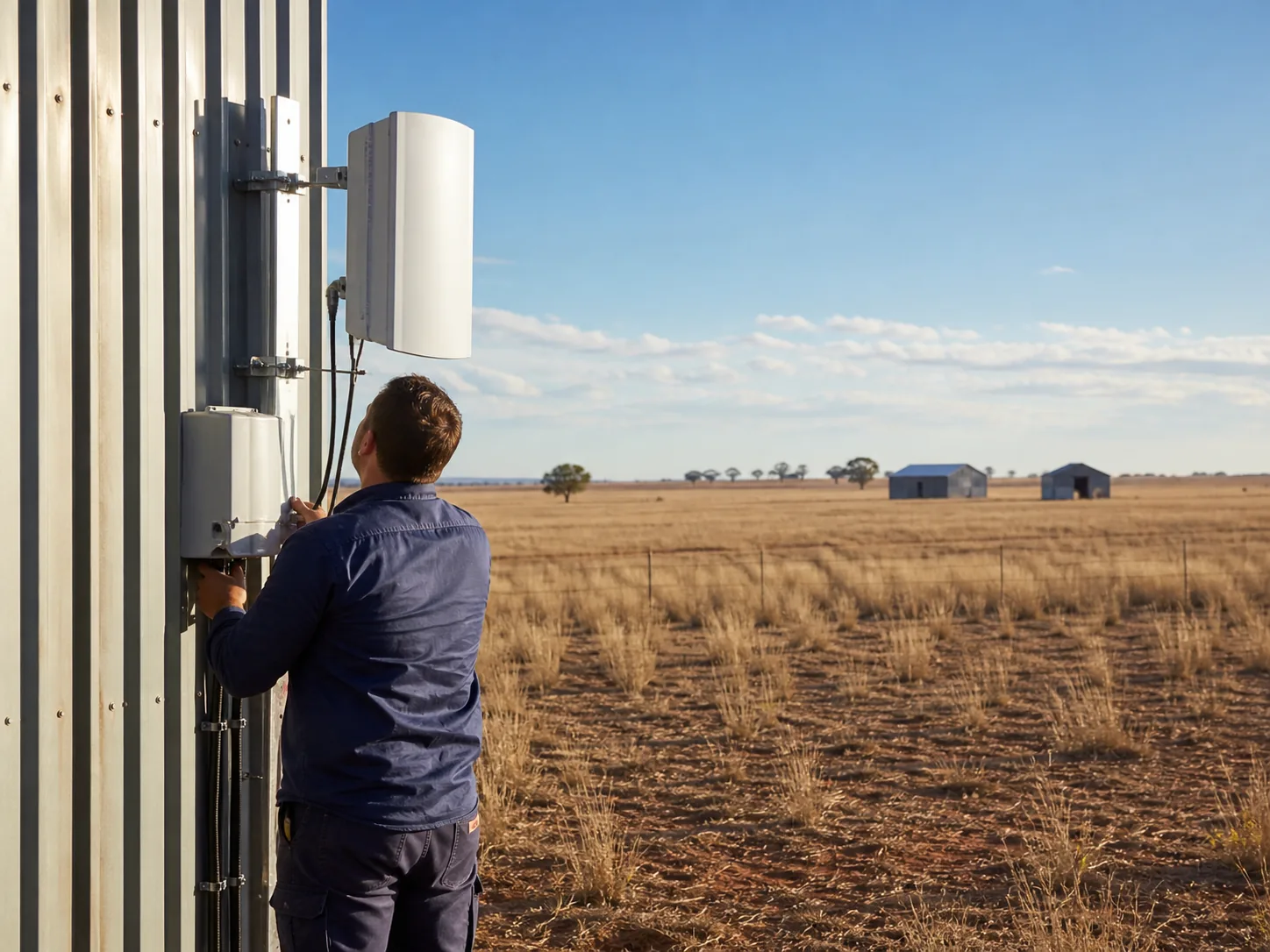
Homestead, sheds, dairy, workshop and pump sites spread across kilometres — as delivered for FPG, with solar-powered remote sites. Covered in plain language on our farm wireless installations page.
Schools, aged care, industrial parks and council facilities where the buildings are close but the trenching between them is not cheap.
Transport depots, container yards and hardstand where a demountable office needs a connection and a trench is out of the question.
Working sites where the layout changes, and a link that can be relocated beats infrastructure that cannot.
Packing sheds, event sites and works compounds that need real connectivity for a season and then move on.
Cameras, sensors, tank and pump telemetry at sites that will never justify a cable run of their own.
FAQs
It is a wireless network where one base station serves many remote sites at once. A hub radio with sector antennas sits on a high point, and each remote building has a small subscriber radio aimed back at it. It is how you connect a dozen sheds, depots or buildings without trenching fibre to each one, and adding a new site means adding one radio.
Distance is rarely the limiting factor — line of sight is. With clear line of sight and proper antennas, links of several kilometres are routine and much longer is achievable. A 900-metre path with a ridge or a stand of trees in the way is far harder than a clean 8 km path. That is why we survey the path before quoting the hardware.
For a reliable link, effectively yes. Some equipment tolerates partial obstruction at short range, but a link relying on signal scattering through trees is a link that changes with the weather and the season. We survey for true line of sight plus Fresnel zone clearance, and where the path will not give it we look at a relay site rather than pretend.
Radio does not travel as a thin beam. It uses an elliptical volume around the straight line between antennas, widest at the midpoint, and obstructions intruding into that volume degrade the link even when the antennas can see each other. A path that looks clear because you can sight along it may still fail because a shed roof or treeline clips the zone.
Most business links run in class-licensed bands that need no individual licence, provided the equipment and power limits comply. Where a path is congested or a link is genuinely mission-critical, licensed spectrum is worth considering because it gives you legal protection from interference. We will tell you which situation you are in rather than defaulting to whichever is easier.
On point-to-multipoint, sites share the base station capacity in the sector they sit in, so planning is about the realistic total demand rather than the headline number on a data sheet. Where one site needs guaranteed throughput — heavy video, backups, a busy office — we usually give it a dedicated point-to-point link and leave the shared sector for lighter sites.
Yes, and they routinely do. Cameras are the common one, and they are unforgiving because they push constant upstream traffic. The design has to account for total camera bitrate at the busiest moment, not the average, and voice needs the latency and jitter kept in check. Both are planned in rather than discovered after installation.
Well-designed links carry fade margin so ordinary rain and heat do not drop them. The bands most affected by heavy rain are the very high frequency ones, which is part of why band selection is a design decision. We design the margin for the worst realistic conditions at your site, not the day we happened to survey.
Related
The same engineering applied to properties — sheds, dairies, pumps and cameras, explained without the radio jargon.
The wider service: multi-internet resilience, local networks and infrastructure that keeps working when the internet does not.
Once the link lands, the Wi-Fi at each end still has to be designed. Surveys, heatmaps and placement.
Tell us what you are planning — a new site, a network that keeps dropping out, or IT that needs a safer pair of hands. We will come back with straight answers and a clear quote.