
SonarNext by Sonar Technologies International
Secure IT asset disposal that ends with evidence, not just an empty storeroom
Laptops, servers, network gear, printers and rugged handhelds sanitised to NIST SP 800-88, tracked by serial from pickup to certificate, and recovered or recycled through accredited partners.
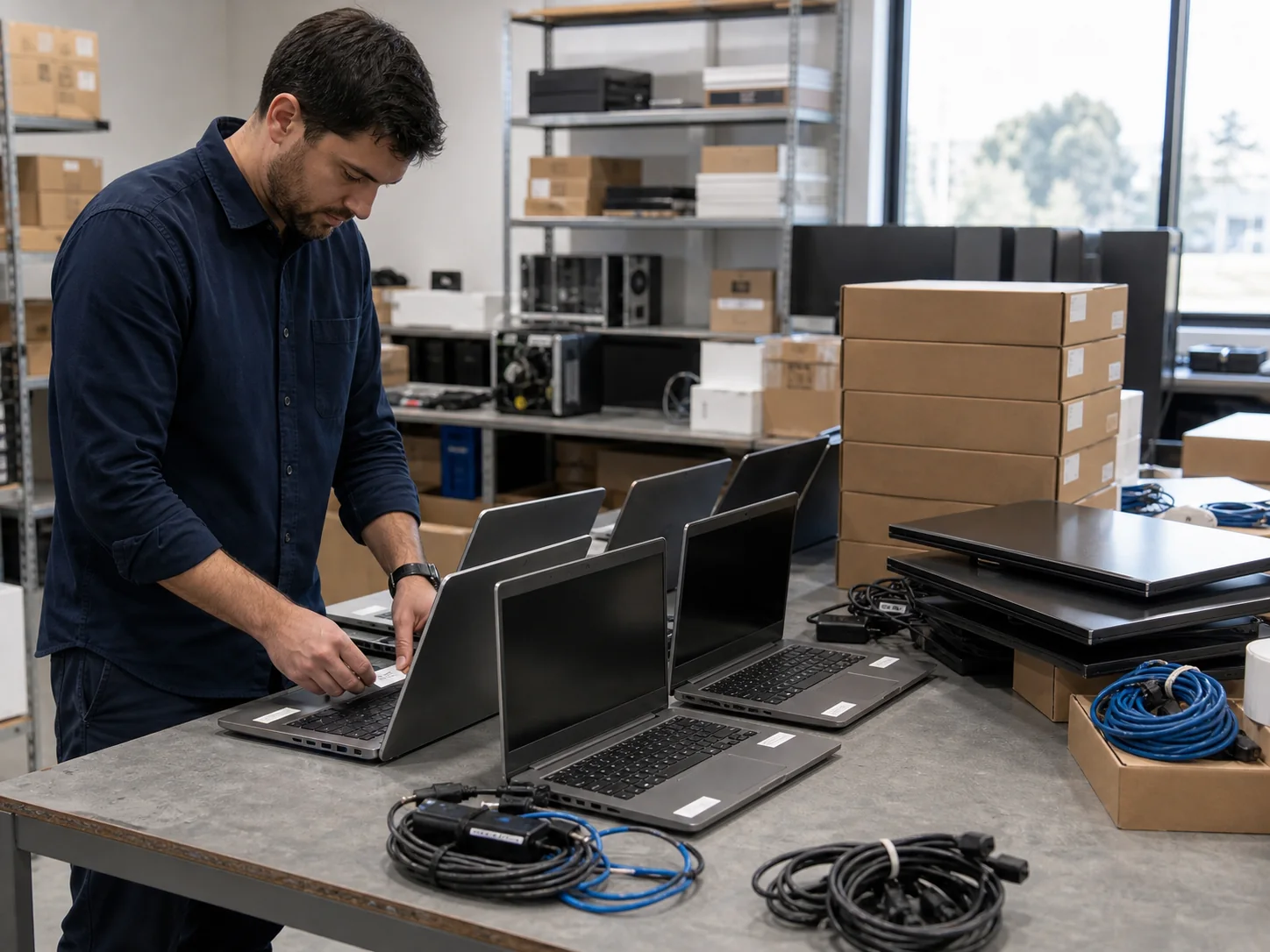
What we handle
Retiring hardware is a data problem first and a recycling problem second
Every laptop, server, switch and scanner leaving your business carries something: customer records, cached passwords, Wi-Fi keys, VPN certificates, an enrolment that still points at your tenant. Disposal done properly deals with all of it, and leaves you with evidence you can hand to an auditor.
Sanitisation & destruction
Drives erased to NIST SP 800-88 with certified erasure software and a report per drive matched to its serial. Shredding or crushing for failed drives and anything too sensitive to trust to software, on-site where drives must not leave your premises.
Chain of custody
Your asset register reconciled from pickup to certificate: serialised manifest, sealed transport and a documented hand-off at every step.
Decommissioning & asset recovery
Comms rooms and data centres de-installed in the right order, usually alongside the refresh replacing them. Equipment with resale value is sanitised and sold or traded in to offset its replacement; anything worth redeploying is identified first.
Certified e-waste recycling
Everything that cannot be reused goes through accredited Australian recycling partners, so metals, plastics and batteries are recovered rather than landfilled.
Data sanitisation
Clear, purge or destroy: the standard, in plain English
NIST SP 800-88 is the guideline most auditors, insurers and privacy advisers point to for media sanitisation. It sorts methods into three levels, and the right level depends on the media type and how sensitive the data was. Pressing “reset this PC” is not on the list.
Overwriting every user-addressable location so the data cannot be recovered with ordinary tools. Adequate for lower-sensitivity data on hard drives staying in circulation; the starting point, not the finish line, for anything else.
Methods that make recovery infeasible even in a laboratory: the drive’s own firmware sanitise commands or cryptographic erase on self-encrypting drives. This is the level we work to for drives that will be resold or reused, and the only one that works on SSDs, which move data around for wear levelling and keep spare capacity the operating system never sees, so an overwrite can miss blocks and degaussing does nothing at all.
Shredding, crushing or disintegration, so the media cannot be used again. Reserved for drives that have failed or will not complete an erase, and for data sensitive enough that you would rather lose the resale value than carry any residual risk.
Erasure software verifies the result and produces a report per drive, not a single line saying “42 laptops wiped”. Each report records the host serial and asset tag, the drive make, model and serial, the method and NIST SP 800-88 level, the verification result, the destruction method for anything that failed, and the date, location and technician, backed by a certificate of sanitisation or destruction. That exception trail is what matters when someone asks about a specific device eighteen months later.
Where policy says drives must not leave the building, we destroy them on your premises before anything is loaded, with your staff able to witness it and serials recorded against the host device.
Chain of custody
Every serial accounted for, from your storeroom to the certificate
The risk in disposal is rarely the erase itself. It is the laptop that was on the list and never arrived, or the pallet that sat unlocked at a depot for a week. Custody is designed to make a missing device visible the same day, not at audit time.
Register and scope
We start from your asset register, or build one if the storeroom is ahead of the paperwork. Each item is listed by make, model, serial and asset tag, and flagged for erasure, destruction, redeployment or resale before anything moves.
Collection and sealing
Devices are counted and scanned against the register at your site, loaded into sealed containers, and the seal numbers recorded on a serialised manifest you sign before the vehicle leaves.
Receipt and reconciliation
Seals are checked on arrival and every serial is scanned again. Anything missing or extra is raised with you straight away, while the answer is still easy to find.
Process and certify
Each item is sanitised, destroyed or recovered as decided at step one, with reports per device and per drive. You receive certificates listed by serial and a reconciliation of what was redeployed, resold, recycled or destroyed, so the register closes with no loose ends.
What people forget
The laptops get wiped. It is everything else that leaks.
Most disposal policies were written for PCs. The devices that turn up on resale sites with a business’s credentials still inside are the ones nobody thought of as storing data.
A network device’s configuration holds admin passwords, RADIUS and SNMP secrets, Wi-Fi pre-shared keys, VPN keys and certificates, and on some platforms a factory reset leaves backup configs or key stores behind. We use the vendor’s full-erase procedure, confirm and record it, release cloud-managed gear from its dashboard, and flag its secrets for rotation on the network that remains.
Copiers and MFDs keep scanned and printed documents on an internal drive, and label printers often store Wi-Fi credentials and certificates. Owned devices are erased or have their drives removed and destroyed; for leased devices we help you get written confirmation of sanitisation from the lessor before the unit goes back.
A scanner still enrolled in SOTI or Intune, or still registered in Autopilot, Apple Business Manager or Android zero-touch, is not retired: it can re-enrol into your tenant or leave the next owner stuck on your setup screen. We retire each device from management, remove its registrations and run an enterprise reset that clears the staging profiles carrying your Wi-Fi and server credentials, then reconcile the retired serials against per-device MDM licences, Microsoft 365 assignments and vendor support contracts so they come off at the next renewal.
Device retirement is part of how we run fleets day to day; see rugged mobility & device management for the enrolment side, and managed IT services for how asset registers and licences are kept current between refreshes.
Compliance & decommissioning
What the obligations say, and taking rooms down in the right order
The Privacy Act and your audits
Under the Australian Privacy Act 1988, Australian Privacy Principle 11 (APP 11) requires organisations it covers, broadly those with annual turnover above $3 million and some smaller ones such as health service providers, to take reasonable steps to destroy or de-identify personal information they no longer need. A retired laptop holding customer or staff records is exactly that, and a per-device erasure report is the most direct evidence of reasonable steps. If you are certified to ISO 27001 or report under SOC 2, your auditor will sample equipment disposal and look for serial-level certificates, signed manifests and a reconciled register. Those are your certifications and your audits; we provide the evidence trail that lets the disposal control pass.
Disposal does not make you Essential Eight compliant. The ACSC Essential Eight covers patching, application control, multi-factor authentication and backups, not media sanitisation; that guidance sits in the Information Security Manual, which broadly agrees with NIST SP 800-88 on choosing the method by media type and sensitivity.
Comms rooms and data centres
Decommissioning is the reverse of a build and goes wrong the same way: by skipping the documentation. Before anything is unplugged we confirm what each device does, what depends on it and when it can go dark, because a switch that looks idle may still carry the one link the gate controller relies on. Configuration backups are captured before erase; servers, storage, switching, firewalls, racks, PDUs and UPS units come out; redundant copper and fibre is stripped back for the next fault and the lease make-good; patch records and floor plans are updated; and every serial is carried into the disposal manifest.
Most decommissions are the second half of a refresh: new equipment is cut over, the old gear runs as a fallback for an agreed period, then it is de-installed, sanitised and removed. We usually run both halves together through implementation services, with replacement hardware sourced through IT hardware procurement.
Recovery, recycling & collection
Redeploy, resell or retire: decide before the truck arrives
Not everything coming out of service is at end of life. A three-year-old laptop can be a good loan pool machine; a handheld with a worn battery may only need a battery. Equally, a device that can no longer run a supported operating system is a liability however well it boots. We make that call device by device with you, before anything is erased.
Equipment worth reselling is sanitised to the purge level, verified, and sold or traded in, with the value credited against your refresh. Nothing is resold without a passed erasure report against its serial; a drive that fails is destroyed and the device sold without it, or not at all. Value depends on age, specification, condition and quantity, so we assess the list and quote a return before you commit rather than promising a figure up front.
Whatever is not redeployed or resold is recycled through accredited Australian recycling partners, including under the National Television and Computer Recycling Scheme where the item is covered. Batteries go in their own stream, because a damaged lithium pack in a mixed load is a fire risk, not just a recycling problem.
We collect from offices, warehouses, depots and regional sites across Australia, as a scheduled pickup when the storeroom fills or folded into a refresh so the old fleet leaves on the visit the new one arrives. Collection, handling, sanitisation, destruction and any resale return are quoted before work starts, with the evidence you receive agreed in writing up front. If a load includes something we cannot take, you will know before we arrive.
- Laptops, desktops, tablets, monitors and phones
- Servers, storage arrays and loose drives
- Switches, routers, firewalls and access points
- Rugged handhelds, vehicle-mount computers, scanners and cradles
- Printers, MFDs and label printers
- Batteries, UPS units, cabling, racks and peripherals
FAQs
Common questions
How do you make sure data is actually gone from our drives?
Drives are sanitised to NIST SP 800-88 using certified erasure software that verifies the result and reports per drive, matched to its serial number. Solid-state drives get a firmware-level sanitise or cryptographic erase, because a simple overwrite can miss blocks on flash media. Any drive that fails verification is physically destroyed, and the report records that too.
What evidence do we receive?
You receive certificates of sanitisation and destruction listing each device and drive by serial number, with the method, verification result, date and technician. You also get the signed collection manifest and a closing reconciliation against your asset register showing what was redeployed, resold, recycled or destroyed. That is the evidence an auditor or privacy adviser will ask to sample.
Can drives be destroyed on our premises?
Yes. Where policy says media must not leave your site, drives are removed and destroyed on your premises before anything is loaded, and your staff can witness it. Drive serials are recorded against the host device so the certificate still ties back to your asset register.
Does disposal help us meet our Privacy Act obligations?
Australian Privacy Principle 11 requires organisations covered by the Privacy Act to take reasonable steps to destroy or de-identify personal information they no longer need. Serial-level erasure and destruction records are strong evidence that you took those steps for retired equipment. Disposal is one part of meeting APP 11, not the whole of it, and it does not make an organisation Essential Eight compliant.
Do you handle network equipment and rugged handhelds as well as PCs?
Yes, and they are where most disposal programmes fall short. Switches, firewalls and access points get the vendor's full-erase procedure so stored credentials, keys and certificates are removed, and cloud-managed devices are released from their dashboards. Handhelds are retired from SOTI or Intune, removed from Autopilot, Apple Business Manager or Android zero-touch, and enterprise reset.
Is collection free?
Collection, handling, sanitisation and destruction are quoted before work starts, and any resale or trade-in value is credited against that or against your refresh. The cost depends on volume, location, the level of sanitisation required and whether on-site destruction is needed. Terms and deliverables are agreed in writing up front, so there is nothing to discover on the invoice.
Do you collect from regional sites?
Yes. We collect from metro and regional sites across Australia, either as a scheduled pickup or bundled with a hardware refresh so the old fleet leaves on the same visit the new one is installed. Chain of custody is the same wherever the pickup happens.
Can we get value back for retired equipment?
Often, yes. Equipment with resale value is sanitised, verified and sold or traded in, with the return credited against your refresh. What it is worth depends on age, specification, condition and quantity, so we assess your list and quote a return before you commit.
Ready to talk through your project?
Tell us what you are planning — a new site, a network that keeps dropping out, or IT that needs a safer pair of hands. We will come back with straight answers and a clear quote.